
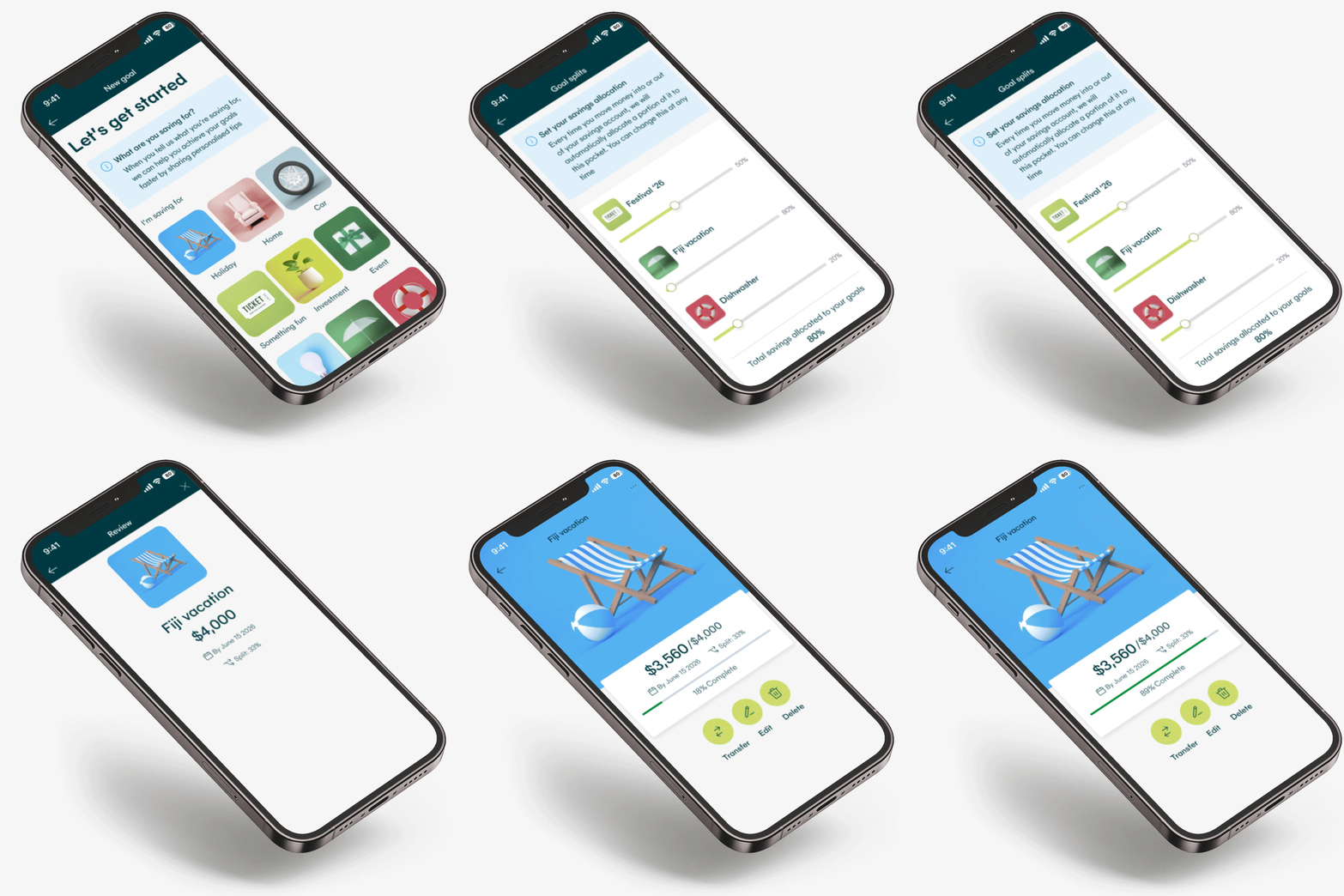
What are Savings Goals?
A Savings Goal is a digital banking feature that makes it easier to save for MyState savings customers.
Whether you’re saving for a rainy day, a vacation, a deposit, or literally anything you can think of, with Savings Goals, you can now create unique goals and automate your savings to reach them easier and faster.
Make the most of your savings

Design a goal
Create goals that are as unique as you are.

Create your goal amount
Whether a little or a lot, you’re always in control.
A little each day or each week, month or year
You pick the timeframe and how often you want to save.

Automate your savings
Automate so you can set and forget, or keep it manual.

Insights to save smarter
Get in-app insights across all your saving and spending.
Turn your Savings Goals into reality
When we give ourselves a goal we’re more likely to achieve it.
Every MyState savings account has features designed to help you reach your Savings Goals easily.
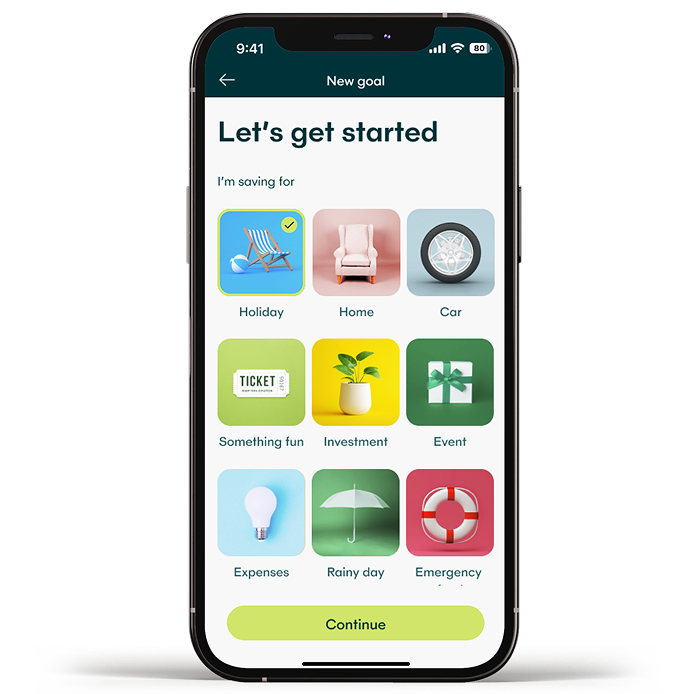
- Choose a goal - or create your own – Whether a holiday, a home deposit, a treat yourself budget, or anything else, you’re always in the driver’s seat.
- Set a target and a date – After you decide on the total amount and set a date, our app will get to work helping you track your progress and provide you with useful savings tips & insights to help make it happen.
- Set and forget savings – Fund your goal manually or automate it with Hello Saver’s Smart Splits feature.
- Edit, tweak, change or delete – Life likes to throw us unexpected surprises – with customisable features and settings, and no penalties or conditions if you change things up, your goals will always be adaptable to your life.
- No conditions to getting interest on your savings – for Hello Saver customers, whether 10 goals or 2, lots of withdrawals or none, you’ll always get interest every month across on your total Hello Saver balance.


Smart splits
Want to automate your savings? Check out Smart splits - an easy way to automate how much of every new deposit you want to put towards your goals.
With Smart splits if you deposit $1,000 and you want 50% of it to go towards your Holiday goal, and 20% to go towards your Emergency Fund, then $500 dollars will automatically be put into Holiday goal and $200 into your Emergency Fund. Any money remaining will stay in your savings as “Left over”.
Shuffle your money
It’s easy to move money between goals, or from your left over money to boost one of your goals. Simply use the “Shuffle money” feature in your savings account’s goals section to move your money to any goal or back into your left overs.

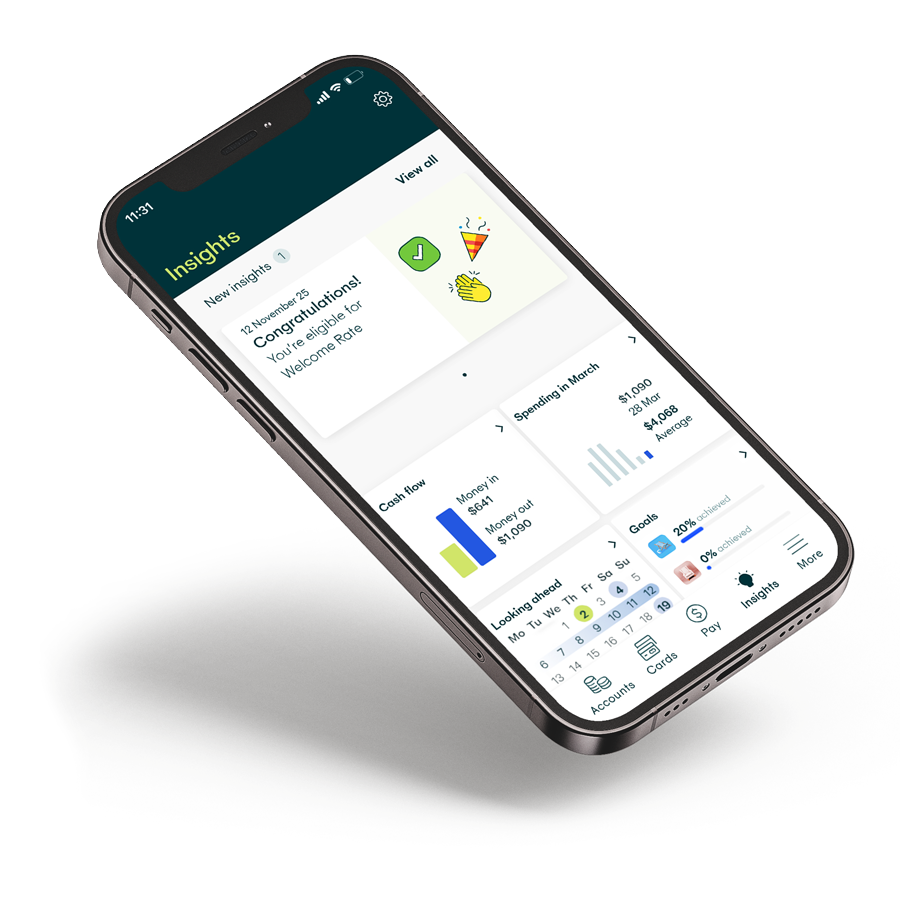
Supercharge with Insights
Personalised insights come with every Savings and Glide Transaction account. With tools, features and alerts delivered directly into your digital banking experience, you’ll be on your way to becoming a savings superstar in no time.
Frequently Asked Questions
Goals is a new feature in our latest digital banking update that applies to all MyState savings accounts – including Hello Saver. To start creating your saving goals, simply access Internet banking or make sure your mobile app is up to date by visiting your mobile app store and searching MyState Bank app. If the button says “update” select and download the latest version.
Once updated, log in as you normally would and on the “My Accounts” page select your savings account. When you’re on the savings account page you’ll see a green Goals icon at the top of the mobile banking app, or if you’re using Internet banking it appears on a tab at the top that says Goals. Select Goals and look for and tap the “+” in the mobile app or the “Add a goal” button in Internet banking. Once selected, follow the prompts to start creating your new savings goals.
A Smart split is a new savings feature that lets you automatically add money to your savings goals every time you make a new deposit into your savings account.
Once you start creating a new goal, you’ll be given the option to put money towards your goals “manually” or with a “Smart split”. If you select Smart split, you can decide how much of your new deposits will automatically go towards your goals.
You can track your goal progress in two ways. The first is by selecting the insights icon at the bottom of the accounts page when you first log-in to the mobile banking app, or the “New insights” tile on Internet banking (on the top right of your “My Accounts” page).
Select this icon on the mobile app, or “view all” in Internet banking. On this page you’ll see a tile that gives you a snapshot of your goals and how much progress you’ve made towards reaching them.
The other way is to navigate to your goals by selecting your Hello Saver or savings account in the app or internet banking. When you select the savings account in your accounts page, tap on the Goals icon (app) or Goals tab (Internet banking), you’ll then get a break down of all your goals, and the progress you’ve made towards reaching them. It’s also here where you can edit your goal name, targets and funding settings.
You can find a full list of Frequently Asked Questions here.